Home fine art printers are now powerful enough to produce gallery‑ready work from a spare room or studio. This guide walks through what actually matters, then highlights the best current options for printing your own art at home in high quality, with a clear sense of size, cost and trade‑offs.
What makes a printer “fine art”?
Fine art or giclée‑capable printers are built for colour accuracy, tonal subtlety and longevity rather than office documents. In practice, that means:
– Multiple inks, often 8–12 colours, for smooth gradients, neutral greys and deep blacks.
– Support for heavyweight, textured fine art papers and thicker stocks.
– The ability to print at least A3+ (13″ wide), and ideally up to A2 (17″ wide).
– Good colour management options (ICC profiles, reliable drivers, predictable output).
A crucial distinction is between pigment and dye inks. Pigment inks use tiny solid particles, sit more on the surface of the paper, and offer far better lightfastness and archival stability. Dye inks dissolve in liquid, soak into the fibres, and tend to give more immediate punchy colour on glossy media, but are more vulnerable to fading over time. For serious, sellable fine art prints, pigment is still the gold standard; dye can be brilliant for open editions, zines and high‑volume experiments.
Key decisions before you buy
Before choosing a specific model, it helps to answer three questions:
1. Pigment vs dye inks
Pigment ink printers
– Best for limited editions, work sold as “giclée”, and prints likely to hang in bright rooms.
– Typically found in “pro” lines from Canon and Epson with 9–12 inks and better support for fine art papers.
– More expensive hardware and ink, but far better longevity.
Dye ink printers
– Excellent for vibrant, glossy work, portfolios, and lower‑priced products where ultimate archival lifespan is less critical.
– Cheaper to buy into, often smaller and simpler, but not ideal if you promise “museum‑grade” or “archival” prints.
2. Maximum print size
A4
– Fine for cards, small prints and zines, but limiting for wall art and editioned work.
A3 / A3+ (up to 13″ × 19″)
– The sweet spot for home studios: big enough to feel like “real” art prints without needing a dedicated room.
A2 / 17″ wide
– The home‑studio press. A2 allows substantial wall pieces and more premium price points but demands more space, more money and more commitment.
3. Cartridges vs ink tanks
3. Cartridges vs ink tanks
Cartridge‑based printers
– Lower ink capacity and higher cost per millilitre, but this is where the best pigment systems live.
– Ideal if you care more about quality and consistency than rock‑bottom running costs.
Tank‑based printers
– Much cheaper to run, brilliant for artists who print constantly or like to experiment and iterate.
– Most current tank models use dye inks and sit a notch below the very best pigment printers in archival terms.
With that in mind, here are the standout home and studio printers to feature.
The best A3+ fine art printers
Canon imagePROGRAF PRO‑300 – compact home giclée workhorse
Canon’s imagePROGRAF PRO‑300 is a 13″ (A3+) pigment‑ink printer that brings a true giclée‑capable engine into a relatively compact body. It uses a 10‑ink LUCIA PRO system, including dedicated photo and matte blacks plus grey, to deliver deep shadows, smooth gradations and neutral black‑and‑white prints on both glossy and matte media.
For artists, the PRO‑300 hits a powerful balance: it can handle heavyweight fine art papers via rear and manual feeds, supports borderless A3+ printing, and is small enough to live on a sturdy table in a shared studio or home office. Ink costs are not trivial, but for low‑to‑moderate volumes, it’s one of the most sensible “first serious art printer” choices, ideal for short runs of limited editions, exhibition prints and premium portfolios.

Epson SureColor P700 – rich colour and superb matte performance
The Epson SureColor P700 is another A3+ pigment printer, this time with a 10‑colour UltraChrome PRO10 ink set and a reputation for particularly beautiful results on matte and fine art papers. It combines a wide colour gamut with very fine droplet control, which shows up in subtle gradients, smooth skies and detailed shadows.
It supports borderless printing up to 13″ wide and handles thicker media through rear and front manual feeds, including textured fine art stocks. Compared to more consumer‑oriented A3 printers, the P700 is more complex and more expensive, but in return you get genuinely exhibition‑ready output and a flexible platform for everything from photo‑real reproduction to graphic work and illustration.

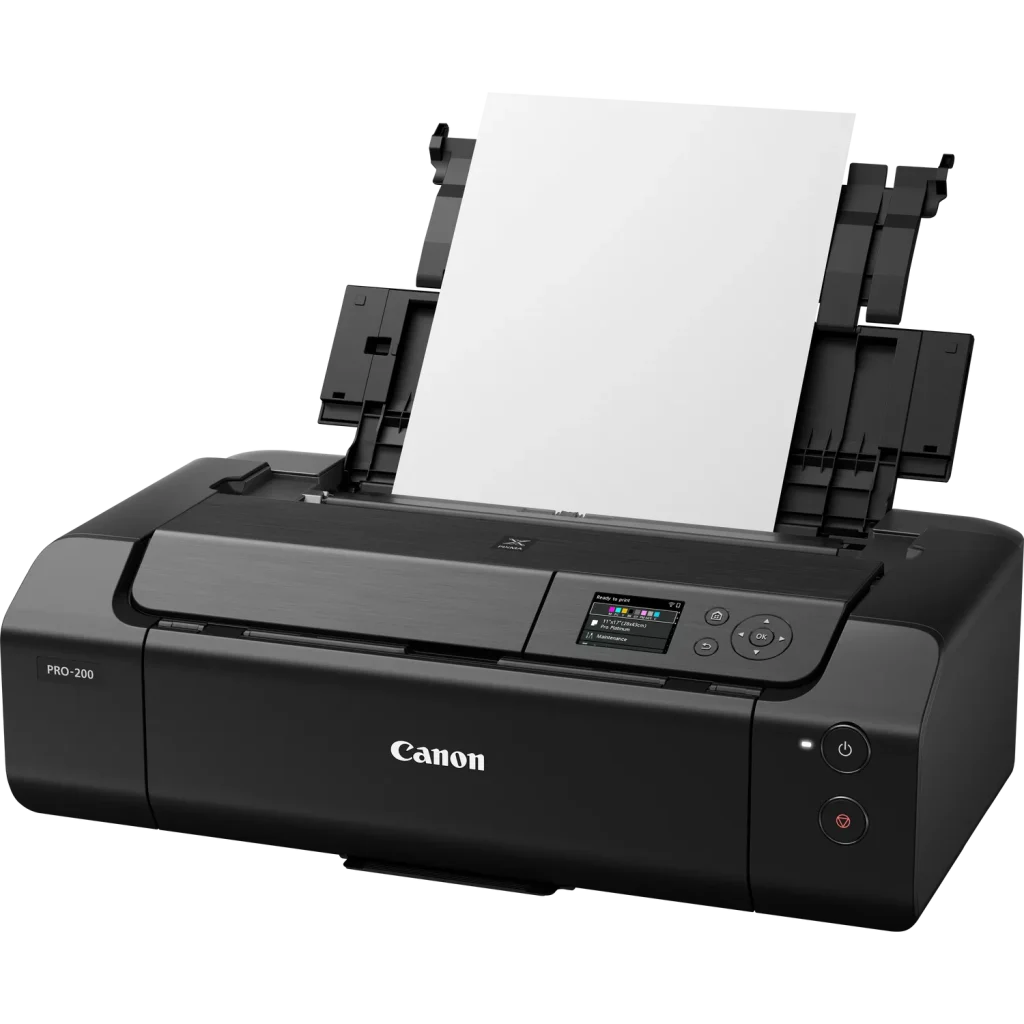
Canon PIXMA PRO‑200 – vibrant colour for open editions
The Canon PIXMA PRO‑200 sits just below the pigment flagships, using eight dye‑based inks to deliver extremely vibrant colour on glossy, lustre and semi‑gloss media. It consistently appears in photography and illustration printer round‑ups as a strong A3+ choice for artists who prize punchy, saturated colour and smooth gradients.
Its dye inks make it less suitable for long‑term archival promises but perfect for open editions, portfolios, prints destined for indoor display away from harsh light, and products like postcards and posters. The PRO‑200 is also relatively compact and more affordable than pigment models, making it an attractive stepping stone for artists moving from standard photo printers into larger‑format work.
A2 “home press” options
Canon imagePROGRAF PRO‑1000 / PRO‑1100 – 12‑ink A2 giclée press
Canon’s imagePROGRAF PRO‑1000 (and the updated PRO‑1100) are essentially small giclée presses in a “desktop” form factor. They use a 12‑colour LUCIA PRO II pigment ink system, which significantly extends the tonal range and colour gamut compared with smaller models and delivers superb shadow detail, rich blacks and very smooth transitions.
These printers handle A2 sheets and support a wide variety of fine art papers and canvas through specialised media feeds. They make sense for artists and photographers who regularly sell large prints or premium editions and want full control of the process in‑house. The trade‑offs are predictable: high purchase cost, large physical size, and big ink sets that make most sense if you’re printing consistently rather than occasionally.

Epson SureColor P900 – flexible A2 plus panoramic formats
The Epson SureColor P900 is Epson’s A2 counterpart to the P700, again using the UltraChrome PRO10 pigment set but scaling up to 17″ media and supporting panoramic formats. It’s a favourite among landscape photographers and artists who enjoy wide aspect ratios, thanks to its combination of high resolution, deep blacks and wide gamut across matte, glossy and fine art stocks.
The P900 is positioned as a “better than lab quality” machine for creatives who want full control. It offers refined driver options and touchscreen controls, making it easier to manage quality vs speed and media settings without feeling like you’re debugging a prepress RIP. Like the Canon A2 models, it’s overkill for occasional users but perfect for those who want to turn a studio corner into a dedicated printmaking station.

Budget and high‑volume options
Epson EcoTank ET‑8550 – affordable ink for constant printers
The Epson EcoTank ET‑8550 is a 6‑colour dye‑ink A3+ printer with refillable tanks, designed for photographers and creatives who print enough that cartridge costs become painful. Once you swallow the higher upfront price, per‑print ink costs fall dramatically, making it great for proofing, test runs, sketch prints and lower‑priced products.
Print quality is very good for a dye‑based system at this size, and the ability to churn through large volumes without constantly buying cartridges is a genuine advantage for artists who work iteratively. The compromise is that it doesn’t quite match the archival permanence and subtlety of the best pigment printers, so it’s better framed as a workhorse for experimentation and open editions rather than as a giclée machine.

Canon iP8720 and Epson XP‑15000
Models such as Canon’s PIXMA iP8720 and Epson’s Expression Photo HD XP‑15000 continue to be recommended as “best budget art printers” for creatives who want to step into A3+ without committing to pro‑level hardware. They use multi‑ink dye systems, can output 13″ × 19″ prints with good detail and colour, and cost significantly less than pigment‑based pro lines.
These printers are ideal for students, early‑career artists and zine makers experimenting with formats and finishes, or for producing affordable prints, posters and cards. Their limitations are predictable: higher cost per print, less sophisticated handling of heavy fine art papers, and weaker fade resistance than pigment‑ink counterparts.

Getting fine art results from any printer
Whatever hardware you choose, a few practices will make the difference between “nice prints” and genuinely sellable fine art:
Choose the right papers
Museum‑grade cotton rag and baryta‑style papers are designed for fine art inkjet and can radically improve the look and feel of your work. They also pair well with pigment inks to maximise longevity. Experiment with textures and weights, but always check your printer’s supported thickness and feeding options.
Use ICC profiles and calibration
Calibrating your monitor and using proper ICC profiles for your paper and printer combination keeps colours predictable and reduces waste. Many paper manufacturers offer free profiles for the major Canon and Epson pro printers, which is an easy, practical upgrade for any home studio.
Consider how and where prints will be displayed
Even archival prints benefit from careful framing behind UV‑protective glazing and being kept away from direct sunlight and high humidity. Setting expectations with buyers about care and display will help ensure your prints look good for years.
“Printing at home” now spans everything from A3+ dye printers to true giclée presses that can anchor a small edition‑publishing practice. The right choice depends less on spec‑sheet perfection and more on how big you want to go, how archival you need the work to be, and how many prints you realistically plan to pull each month.